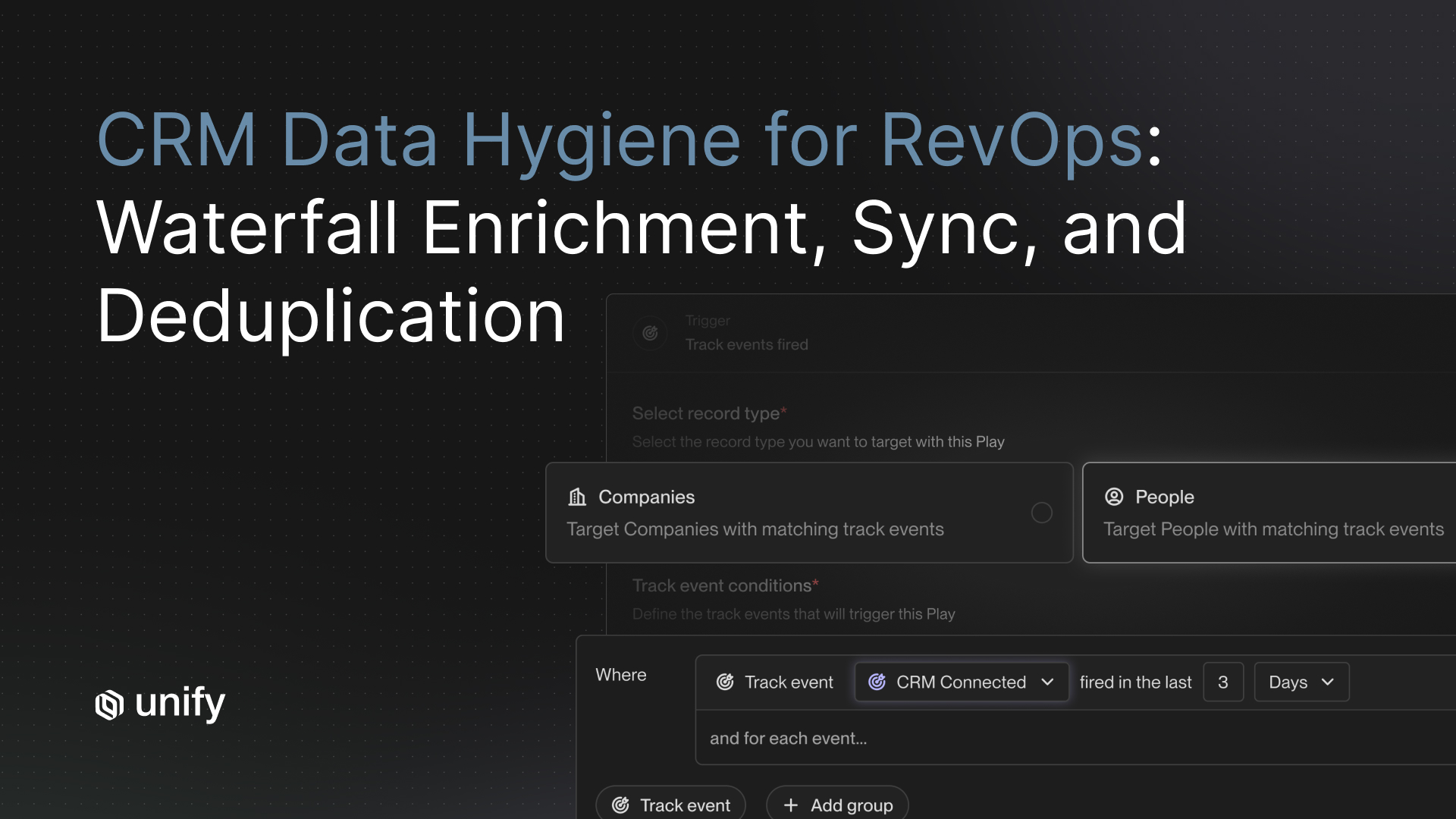
TL;DR: RevOps teams that treat CRM data quality as a continuous automated job, not a quarterly cleanup project, run leaner outbound with fewer wasted touches. Anrok consolidated three tools into one, cut SDR workflow time by 4x, and generated $300K+ in pipeline in 90 days. The four-layer approach covered here: signal-triggered waterfall enrichment from 30+ sources, bidirectional 15-minute CRM sync, exclusion-based deduplication, and automatic contact refresh on job-change and new-hire signals. Audience: RevOps leaders at B2B companies running outbound through Salesforce or HubSpot.
Key Facts and BenchmarksClaimValueSource
Methodology and Limitations
All Unify customer outcomes cited in this article come from individually published case studies on unifygtm.com. There is no aggregated "Unify benchmark" dataset. Each number is attributed to the specific customer whose result was reported: Anrok ($300K+ pipeline in 90 days, 4x faster SDR workflows), Pylon (6,500+ contacts, 4.2X ROI, $300K pipeline), Together AI (500+ contacts, 30+ rep hours saved per month), and Abacum (75% reduction in manual data pull time). Unify is the publisher of these case studies. Time windows and sample sizes are as reported in each case study. These outcomes reflect the specific motions and team configurations of each customer and should not be treated as guaranteed results.
Why Is CRM Data Hygiene a RevOps Problem, Not a One-Time Project?
CRM data quality degrades continuously. Contacts change jobs, companies get acquired, email addresses go stale, and new hires join target accounts every day. A one-time enrichment run at list-build time locks in accurate data for a matter of weeks, not months. RevOps teams that treat CRM hygiene as a periodic cleanup project spend significant time each quarter re-cleaning records that will be stale again before the next campaign launches.
The operational cost of stale CRM data falls directly on outbound performance. Sequences sent to wrong addresses bounce and damage sender reputation. Reps manually researching contacts before outreach consume hours that could go toward closing. Duplicate outreach to contacts already in open opportunities creates friction with buyers and embarrasses the sales team. Each of these failure modes is preventable with automated, continuous data quality management built into the outbound workflow.
RevOps is the natural owner of this problem. RevOps sits at the intersection of data infrastructure, tooling, and sales execution, making it the only function with both the authority to enforce data standards and the technical context to wire enrichment into the outbound motion. The shift from periodic cleanup to continuous automated hygiene is not a technology problem; it is a systems design decision that RevOps leaders need to make deliberately.
What Is Waterfall Enrichment and How Does It Work for Outbound?
Waterfall enrichment is a sequential lookup process that queries multiple data vendors one after another until a verified contact record is found. Rather than relying on a single provider and accepting gaps when that provider has no data, a waterfall maximizes coverage by falling back to the next vendor automatically. The result is a higher fill rate on critical fields (verified email, direct phone, job title, company firmographics) than any single-vendor approach can achieve.
For outbound specifically, waterfall enrichment is most valuable when triggered at the moment a signal fires rather than at list-build time. When a target account visits your pricing page, when a champion changes jobs, or when a new VP of Sales joins a key account, that is the moment enrichment should run. Enriching at signal time means outreach is based on the contact's current role, current company, and current verified email, not data from three months ago.
Unify's B2B Buyer Data layer runs waterfall enrichment across 30+ verified sources. Per the Unify B2B Buyer Data product page, the platform achieves a 75%+ company match rate on website visitors. Contacts identified through any of Unify's 25+ intent signals are enriched immediately when they enter a Play, with no manual data pull required and no rep intervention before outreach begins.
The Four-Layer CRM Data Quality Framework
High-performing RevOps teams managing outbound data quality apply four layers of automation, each addressing a distinct failure mode. These layers work together; removing any one of them creates gaps that degrade the others.
Layer 1: Enrichment at Signal Trigger
When a signal fires, Unify immediately enriches the contact from 30+ sources via waterfall, pulling verified email, title, and company firmographics. No manual data pull is required before outreach begins. This eliminates the lag between signal detection and enriched contact availability, which in a typical ZoomInfo-plus-Tray.io stack can run from hours to days depending on how the workflow is scheduled.
Layer 2: Bidirectional CRM Sync Every 15 Minutes
Unify reads ownership, opportunity stage, and contact status from Salesforce and HubSpot and writes back sequence activity, signal tags, and enriched contact data. This sync runs bidirectionally approximately every 15 minutes, per the Unify RevOps solutions page and CRM integration documentation. Data is never more than 15 minutes stale. A contact who enters an open opportunity or gets assigned to a rep between sync cycles is picked up on the next cycle and automatically removed from automation scope where exclusion rules apply.
Layer 3: Deduplication via Audience Exclusion Rules
Audience exclusion rules in Unify prevent contacts from entering outbound workflows if they are already in an active sequence, in an open opportunity, recently touched by a rep, or marked as a current customer. These exclusions are applied at audience creation time and re-evaluated on every CRM sync cycle. This approach is proactive rather than reactive: it prevents double-touching before it happens rather than correcting it afterward. Per the Unify documentation on creating exclusions, conditions can be multi-layered with Boolean logic to match complex ownership and status rules.
Layer 4: Automatic Refresh on Job-Change and New-Hire Signals
Champion Tracking detects when known contacts change jobs and automatically refreshes their records with updated company, title, and contact data. A Play can trigger outreach at the new company without any manual rep review. New Hire Tracking surfaces new hires at target accounts, identifying newly joined decision-makers before competitors do. Both signals feed directly into Plays. Per the Unify product KB, Champion Tracking costs 1 credit per tracked individual per month; New Hire Tracking costs 5 credits per surfaced new hire.
How Does the "ZoomInfo Plus Tray.io" Approach Compare to a Unified System?
The conventional RevOps stack for CRM enrichment combines a data vendor (typically ZoomInfo or a similar provider), a CRM (Salesforce or HubSpot), and a workflow automation tool (Tray.io, Zapier, or a custom integration) to move enriched data into the CRM on a schedule. This approach works, but it carries four structural weaknesses that compound over time.
How Unify Covers This
Unify's RevOps solution consolidates all four layers into a single platform: signal detection, waterfall enrichment from 30+ sources, bidirectional Salesforce and HubSpot sync every 15 minutes, audience exclusion rules that re-evaluate on every sync, and Champion Tracking plus New Hire Tracking for automatic record refresh. RevOps teams configure these once inside Plays and Audiences; the system maintains itself without ongoing integration work. Anrok's Growth Marketing Lead Kathleen Kong described the result: "Unify helped us build a complete outbound motion that actually drives revenue. It's faster, smarter, and more connected." (Per Anrok case study, unifygtm.com/customers/anrok.)
Worked Example: How Anrok Set Up Its RevOps Workflow in Unify
Anrok (FinTech, 130+ employees) entered Unify with a three-tool problem. SDRs were juggling ZoomInfo for enrichment, HubSpot for CRM, and Outreach for sequences, per the Anrok case study. Switching between platforms consumed time on every campaign, data was inconsistent across tools, and building new audience segments required manual exports and re-imports.
Symptom: Campaign iteration was slow. Testing a new segment required pulling a list from ZoomInfo, filtering in a spreadsheet, importing to HubSpot, then manually enrolling in Outreach. Each cycle took days. SDR workflows were 4x slower than they needed to be.
Diagnosis: The enrichment step happened at list-build time, not at signal time. Contacts were enriched once and never refreshed. There was no mechanism to automatically exclude contacts already in open opportunities or active sequences. No champion tracking existed to surface job-changed contacts at new accounts.
Fix: Anrok consolidated onto Unify. They launched 25 outbound email campaigns using Unify's Plays, Signals, and Sequences. Enrichment now runs from 30+ sources at the moment a signal qualifies a contact. CRM data syncs bidirectionally with HubSpot every 15 minutes. Exclusion rules prevent double-touching. New Hire Tracking and Champion Tracking Plays feed contacts into sequences automatically.
Impact: $300K+ in pipeline in the first 90 days from approximately 25 outbound email campaigns, 4x faster SDR workflows compared to ZoomInfo and Outreach, and consolidation from three tools to one. Per Anrok case study (unifygtm.com/customers/anrok).
How Do Together AI and Pylon Use Unify for CRM Data Quality?
Together AI (AI Inference, 150+ employees) faced a different version of the same problem. Sales reps manually pulled data from Salesforce, consolidated it in spreadsheets, re-uploaded to enrichment tools, and deployed campaigns from those interfaces. Per the Together AI case study, this process introduced human error risk and consumed hours per campaign launch.
With Unify, Together AI launched five automated Plays that surface actionable signals around on-platform users and enrich contacts directly through Unify's waterfall. The result: 500+ high-intent contacts prospected and enriched by the first five Plays, and 30+ rep hours saved per month. Jonathan Liu, Head of Sales Operations at Together AI, described the shift: "Before Unify, our outbound process was time-consuming and resource-intensive. Now, it's fully automated, which frees up our team's bandwidth to focus on closing more deals." (Per Together AI case study, unifygtm.com/customers/together-ai.)
Pylon (B2B customer support, 100+ employees) prioritized building a full outbound infrastructure: signals, enrichment, sequencing, dashboarding, and AI personalization in one place. Per the Pylon case study, they had 10 automated Plays running within two weeks of onboarding, 6,500+ contacts prospected and enriched, and $300K in new pipeline over the following weeks. Their 4.2X ROI reflects the combined output of accurate, continuously refreshed contact data feeding well-targeted sequences. CEO Marty Kausas called Unify "our go-to-market operating system." (Per Pylon case study, unifygtm.com/customers/pylon.)
Decision Framework: When to Keep Your Custom Workflow vs. Consolidate
30-Second Chooser: Custom Stack vs. Unify
- If your RevOps team spends more than 5 hours per week maintaining enrichment integrations: consolidate onto a single platform. The maintenance overhead compounds and the root cause is never fixed by patching workflows.
- If your enrichment is pulled at list-build time and refreshed less than once per month: consolidate. Stale data undermines deliverability and wastes sequence credits on bounced or irrelevant contacts.
- If your CRM sync latency exceeds 1 hour and reps are double-touching contacts in open opportunities: consolidate. The exclusion problem can only be solved with a near-real-time sync tied to your outbound execution layer.
- If you have no mechanism for champion tracking or new-hire signals: consolidate. These two signal types are among the highest-converting in outbound and require no additional data vendor when built into the platform.
- If your current tool provides specialized compliance, industry-specific data, or a niche enrichment source that Unify does not cover: keep the specific vendor but evaluate whether the workflow layer can still be unified.
- If your RevOps team has an integration engineer who actively maintains custom workflows and the cost-benefit of those integrations is documented and positive: proceed carefully, but still audit whether signal-triggered enrichment is available natively.
- If you are in a highly regulated industry (financial services, healthcare) with strict data residency requirements: verify Unify's compliance posture at trust.unifygtm.com before consolidating.
Role and Segment Variants: What This Looks Like in Practice
The four-layer framework applies differently depending on role and company stage.
RevOps Engineer (IC, technical): Focus on field mapping, Salesforce lead assignment rules, and exclusion logic. Audit the CRM schema before connecting Unify so field mappings are clean from day one. Use the Unify docs on Salesforce bidirectional syncs and bulk updates to configure enrichment write-back fields. Monitor sync error logs in the first two weeks.
RevOps Manager (people manager, owns tooling decisions): Prioritize the Play-level exclusion rules that prevent reps from complaining about double-touches. Define rules of engagement (who owns which account tier, when automation is blocked on assigned accounts) before the first Play goes live. Review the Unify Outbound Sweet Spot Guide's OBQB framework for documentation templates.
VP of RevOps (budget owner, cross-functional): Frame the consolidation case in terms of integration maintenance hours and enrichment cost per contact. The Anrok case study ($300K+ pipeline, 4x faster workflows, three tools to one) maps well to a board-level ROI narrative. Benchmark your current enrichment fill rate against Unify's 75%+ company match rate to quantify coverage gains.
Solo RevOps owner at a small team (20-100 employees): Start with two Plays: a website intent Play with exclusions on current customers, and a Champion Tracking Play on closed-won contacts from the past 18 months. These two Plays deliver the highest signal-to-noise ratio with the least configuration overhead. Add New Hire Tracking once both Plays are stable.
PLG motion (RevOps at a product-led company): Wire product usage signals into Unify alongside website intent. Champion Tracking and New Hire Tracking are especially valuable for expansion: when a champion from a free-tier account joins an enterprise target, that contact is among the warmest possible leads. See Unify's PLG solutions page for signal-to-Play configuration guidance.
Enterprise RevOps (1,000+ employees, dedicated ops team): Use Salesforce lead assignment rules integrated with Unify's Play routing to preserve ownership hygiene at scale. Implement multi-condition exclusion rules that account for regional ownership, segment assignment, and opportunity stage simultaneously. Audit field mappings quarterly against CRM schema changes.
What Are the Edge Cases Where CRM Data Hygiene Breaks Down?
Even well-configured enrichment and sync setups have edge cases that produce dirty data or missed contacts.
Edge case 1: Contact changed jobs but the old record was not marked inactive. When a contact leaves a company, their old record often stays active in the CRM with the old email. Outreach to that address bounces. Champion Tracking solves this by detecting the job change and refreshing the record, but only for contacts in the tracked Champion audience. Contacts outside that audience require a separate periodic review or an enrichment re-run triggered by bounce detection.
Edge case 2: Enrichment returns a verified email that is technically deliverable but belongs to a role address (info@, hello@). Role addresses inflate bounce and unsubscribe rates over time. The fix is to add a filter in your Audience definition that excludes role-format email patterns before contacts enter sequences.
Edge case 3: CRM sync writes enriched data over rep-customized fields. If a rep has manually updated a contact's title or phone number in Salesforce based on a direct conversation, a subsequent enrichment write-back can overwrite that correction. Configure Unify's CRM field mappings to write enriched data only to blank or null fields, not to overwrite existing non-null values.
Edge case 4: New hire signal surfaces a contact who is not the right persona. New Hire Tracking can surface any new hire at a target account. If your Audience definition is too broad, you enrich and outreach to contacts outside your ICP. Solve this by adding persona filters (title keywords, seniority level) to the New Hire Tracking audience definition before the Play triggers enrichment.
Edge case 5: Exclusion rules are configured correctly but a timing gap between signal detection and sync allows a double-touch. If a contact enters an opportunity at 10:03 AM and the next sync runs at 10:15 AM, a Play that triggers at 10:08 AM could enroll that contact. Build a grace period into your exclusion logic by excluding contacts whose opportunity was created in the last 24 hours, not just contacts with an active open opportunity at sync time.
Stop Rules: When Is Your CRM Data Quality Failing Your Outbound Motion?
Common Mistakes RevOps Teams Make with CRM Data Hygiene
Top 5 Mistakes to Avoid
- Enriching once at import time.Static enrichment goes stale within weeks. Always trigger enrichment at signal time, not batch-import time.
- Relying on a single data vendor.No single B2B data provider has complete coverage. Single-vendor approaches leave 20-40% of contacts unenriched. Waterfall across multiple sources before concluding a contact cannot be reached.
- Configuring exclusion rules but not testing them.Exclusion rules that look correct in configuration can fail silently when CRM field values are formatted inconsistently. Test with a seed contact before launching a Play at scale.
- Ignoring champion tracking because "we don't have many past customers."Champion tracking applies to any past contact who evaluated your product, attended a demo, or replied to a sequence, not just closed-won customers. The audience can be seeded from CRM contacts who reached opportunity stage or later.
- Building a custom enrichment workflow in Zapier or Tray.io and treating it as solved.Custom workflows break on CRM schema updates, vendor API changes, and team transitions. Maintenance cost compounds; the workflow that worked in Q1 often fails silently by Q3.
Frequently Asked Questions
What is waterfall enrichment in B2B outbound?
Waterfall enrichment is a sequential lookup process that queries multiple data vendors one after another until a verified contact record is found. Rather than relying on a single provider and accepting gaps, waterfall enrichment maximizes coverage by falling back to the next vendor when the first one returns no result. Unify's B2B Buyer Data layer queries 30+ verified sources in a single waterfall per contact, achieving a 75%+ company match rate on website visitors per the Unify B2B Buyer Data product page.
How often should CRM data be refreshed for outbound accuracy?
For active outbound programs, CRM data should be refreshed continuously. Bidirectional CRM syncs running every 15 minutes ensure that ownership changes, opportunity stages, and sequence enrollment status are never more than a quarter-hour stale. Unify syncs bidirectionally with Salesforce and HubSpot approximately every 15 minutes, per the Unify RevOps solutions page, meaning exclusion rules and contact status are always current before a Play triggers outreach.
What is the difference between CRM deduplication and audience exclusion rules?
CRM deduplication merges or flags duplicate records that already exist in the database. Audience exclusion rules prevent contacts from entering outbound workflows in the first place based on real-time CRM state. Exclusion rules are proactive; deduplication is reactive. Unify applies exclusion rules at audience creation time and re-evaluates them on every CRM sync cycle, approximately every 15 minutes.
What is champion tracking and why does it matter for RevOps?
Champion tracking monitors when known contacts change jobs and move to new companies. When a champion lands at a new account, their familiarity with your product makes them among the warmest possible leads. Unify's Champion Tracking feature detects job changes automatically, refreshes the contact record with updated company and title data, and can trigger a Play at the new company without manual rep review. Pricing is 1 credit per tracked individual per month, per the Unify pricing page.
How does Unify compare to using ZoomInfo plus a custom Tray.io or Zapier workflow?
ZoomInfo enriches contacts at list-build time, leaving data stale from the moment it enters the CRM. Custom Tray.io or Zapier workflows require ongoing RevOps maintenance whenever a field mapping, CRM schema, or enrichment vendor changes. Unify enriches contacts at signal time, syncs bidirectionally every 15 minutes, and enforces exclusion rules automatically on every sync cycle. Anrok consolidated ZoomInfo, HubSpot, and Outreach into Unify and saw 4x faster SDR workflows and $300K+ in pipeline in 90 days, per the Anrok case study.
How do audience exclusion rules prevent double-touching contacts in Salesforce or HubSpot?
Audience exclusion rules in Unify are applied at audience creation time and re-evaluated on every CRM sync cycle. Contacts are excluded if they match any exclusion condition: already enrolled in an active sequence, associated with an open opportunity, owned by a rep who has touched them recently, or flagged as a current customer. Because conditions are checked against live CRM data rather than a static snapshot, a contact who enters an opportunity between sync cycles is excluded before the next outreach action fires.
Can Unify handle routing and handoff logic between marketing and sales?
Yes. Unify reads CRM ownership, opportunity stage, and lead status from Salesforce and HubSpot on every sync cycle. Plays can be configured to route contacts to the owning rep as a task or Slack alert when an account is assigned, while automatically enrolling unassigned accounts in sequences. Salesforce lead assignment rules integrate directly with Unify's Play logic, so routing decisions made in Salesforce are reflected in Unify within 15 minutes.
What RevOps team size is Unify best suited for?
Unify serves RevOps teams of all sizes, from solo RevOps owners at 50-person companies to distributed RevOps functions at 1,000+ employee organizations. Smaller teams benefit most from pre-built Play templates and zero-maintenance integrations. Larger teams benefit from Salesforce lead assignment rules, field mapping controls, and audit trails that meet enterprise governance requirements.
Glossary
- Waterfall Enrichment: A sequential data lookup process that queries multiple B2B data vendors one after another until a verified contact record is found, maximizing field fill rate beyond what any single provider can achieve.
- Bidirectional CRM Sync: A two-way data exchange between an outbound platform and a CRM (Salesforce or HubSpot) that reads CRM state (ownership, opportunity stage, contact status) into the platform and writes back enriched data and sequence activity, keeping both systems current.
- Audience Exclusion Rules: Multi-condition filters applied at audience creation time that prevent specified contacts (those in open opportunities, active sequences, or owned accounts) from entering outbound Plays, enforced proactively on every CRM sync cycle.
- Champion Tracking: A signal type that monitors job-change events for known contacts and automatically updates their CRM record with new company, title, and contact data when they move to a new organization.
- New Hire Tracking: A signal type that detects when new hires join target accounts, particularly in decision-maker roles, and surfaces those contacts as outbound triggers before competitors identify them.
- Signal-Triggered Enrichment: The practice of running enrichment at the moment an intent signal (website visit, job change, new hire) qualifies a contact, rather than at list-build time, ensuring contact data is current at the moment outreach fires.
- Play: An automated outbound workflow in Unify that combines a signal trigger, enrichment step, audience filter, and sequence enrollment into a single end-to-end motion that runs without manual intervention.
- Outbound Quarterback (OBQB): The operator who owns the end-to-end outbound system, including Plays, routing logic, and automation configuration. Typically sits in RevOps, Growth, or Marketing and is responsible for pipeline creation rather than activity volume. Defined in the Unify Outbound Sweet Spot Guide.
- CRM Data Hygiene: The ongoing practice of maintaining accurate, complete, and current contact and account records in a CRM, including enrichment, deduplication, exclusion rule enforcement, and automatic refresh on contact change events.
- Intent Signal: A behavioral or contextual indicator that a prospect or account is showing buying interest, such as a website visit to a pricing page, a job posting for a relevant role, or a champion moving to a new company. Unify tracks 25+ intent signals natively.
Sources and References
- Unify RevOps Solutions page: https://www.unifygtm.com/solutions/revops
- Unify B2B Buyer Data product page: https://www.unifygtm.com/product/buyer-data
- Unify Plays product page: https://www.unifygtm.com/plays
- Unify Champion Tracking signal page: https://www.unifygtm.com/signals/champion-tracking
- Anrok case study: https://www.unifygtm.com/customers/anrok
- Pylon case study: https://www.unifygtm.com/customers/pylon
- Together AI case study: https://www.unifygtm.com/customers/together-ai
- Abacum case study: https://www.unifygtm.com/customers/abacum
- Unify HubSpot Integration launch post: https://www.unifygtm.com/blog/introducing-unifys-hubspot-integration
- Unify Salesforce CRM integration docs: https://docs.unifygtm.com/crm-integrations/salesforce
- Unify HubSpot CRM integration docs: https://docs.unifygtm.com/crm-integrations/hubspot
- Unify New Hire Tracking docs: https://docs.unifygtm.com/signals/new-hire-tracking
- Unify Creating Exclusions tutorial: https://docs.unifygtm.com/tutorials/creating-exclusions
- Unify Signals overview page: https://www.unifygtm.com/signals
- Unify Pricing page: https://www.unifygtm.com/pricing
About the AuthorAustin Hughes is Co-Founder and CEO of Unify, the system-of-action for revenue that helps high-growth teams turn buying signals into pipeline. Before founding Unify, Austin led the growth team at Ramp, scaling it from 1 to 25+ people and building a product-led, experiment-driven GTM motion. Prior to Ramp, he worked at SoftBank Investment Advisers and Centerview Partners.


.avif)