TL;DR A five-step loop connecting a JS tag, CRM matching, behavioral scoring, and automated Plays turns anonymous website traffic into booked meetings without manual rep intervention. Growth teams at Justworks achieved 6.8X ROI in five months (per the Justworks case study), HyperComply generated $1.6M+ in pipeline in 12 months (per the HyperComply case study), and Quo now runs 100% of outbound through this architecture (per the Quo case study). With a native CRM integration, the sync runs every 15 minutes and the full stack can go live in under a day.
Key Facts
Methodology and Limitations All Unify customer outcomes cited in this article come from individually published case studies. There is no unified "Unify benchmark" dataset. Each outcome reflects a single customer's experience during a specific period. HyperComply's $1.6M pipeline and 40% meeting lift are from a 12-month window, per the HyperComply case study. Justworks' 6.8X ROI is from their first five months, per the Justworks case study. Quo's 2.5X reply lift, 60 hours per rep per month saved, and 1-hour setup are from their onboarding period, per the Quo case study. Results depend on ICP clarity, CRM data hygiene, Plays configuration, and outbound message quality. The single-vendor match rate range of 30-65% is from MarketBetter vendor testing 2026, as cited in Unify's tools guide. The 15-minute sync frequency is a recommended configuration in the Unify CRM integration guide, not a guaranteed latency figure.
Why Does the Website-Intent-to-CRM Problem Keep Failing?
Most teams already know website visitors are their warmest leads. The problem is not insight. It is the gap between detection and action. The typical stack looks like this: one tool identifies the company, a second enriches contacts, a third deduplicates against the CRM, a fourth enrolls the lead in a sequence, and a fifth logs the activity back to the CRM. Each handoff introduces latency. Each latency reduces conversion.
A pricing page visit decays in value within 24 to 48 hours, per Unify's first-party vs. third-party intent signal guide. By the time the lead reaches a rep through a four-tool chain, the window has closed. The five-step architecture below closes that gap by collapsing detection, identification, CRM matching, scoring, and sequencing into a single automated loop. When all five steps run inside one platform, a website signal can reach a rep or trigger a sequence autonomously in under 60 seconds.
What Is the Full 5-Step Website Intent Architecture?
The complete loop runs from JS tag deployment to meeting booked, with no manual steps required at any stage. Each step below includes a validation check you can run before moving to the next.
1 Deploy the JavaScript Tag
Drop a lightweight JS snippet on every page of your site. This tag fires a session event when a visitor loads any page, capturing session metadata: IP address, referrer, page URL, time on page, and UTM parameters. The tag does not collect PII directly. It passes session data to the identification layer, which resolves identity against external databases.
Validation check: confirm the tag fires on pricing, documentation, and demo pages. Those three carry the highest signal weight. A tag that only fires on the homepage misses the visits most predictive of purchase intent.
2 Run Waterfall Identification
A single data provider resolves 30 to 65% of company-level sessions, per MarketBetter vendor testing cited in Unify's website intent tools guide. The gap between 40% and 75%+ resolution is missed pipeline. Waterfall identification queries multiple providers in sequence and uses the best match from any provider.
Unify's waterfall runs five providers: Unify Intent, 6sense, Clearbit, Demandbase, and Snitcher. Across customers, this achieves a 75%+ match rate at the company level and pushes the visitor reveal rate to 77%+ per the Demandbase and Snitcher partnership data cited in Unify's intent tools comparison. You can bring your own API keys for each provider or use Unify's out-of-the-box coverage. See the Website Intent product page for configuration details.
How Unify covers Step 2: The Website Intent product surface waterfalls Unify Intent, 6sense, Clearbit, Demandbase, and Snitcher automatically. No manual API routing or provider-level deduplication required. Coverage is configurable: bring your own key for any provider or use Unify defaults.
3 Match to CRM Accounts and Contacts
Identification tells you who visited. CRM matching tells you whether that visitor is an existing account, an open opportunity, a churned customer, or a net-new prospect. Each category should trigger a different downstream action. Matching to an existing open opportunity escalates urgency. A net-new ICP account triggers prospecting. A churned customer triggers a win-back Play.
The match logic needs to handle duplicates, existing ownership, and field-level conflicts. Set directional field controls before syncing: define which system owns each field, what triggers an update, and what should never be overwritten. Per Unify's CRM integration guide, five predictable failure points emerge when intent platforms bolt onto CRM systems: duplicate records, overwritten fields, orphaned activities, inconsistent formatting, and stale data loops. Native integrations prevent most of these by enforcing field ownership at the integration layer.
With a native Salesforce or HubSpot integration, bidirectional sync runs on a 15-minute cycle, per the CRM integration guide. Quo completed their full Salesforce and website integration in one hour from their onboarding call, per the Quo case study.
4 Score by Behavioral Signal Weight
Not all visits are equal. A one-time homepage visitor from an unknown company is low priority. A known ICP contact who visited the pricing page three times this week, watched the demo video, and returned to the comparison page is high priority. That person is mid-evaluation right now.
Build a scoring model with three dimensions: page weight (pricing and demo pages score highest), recency (visits in the last 24 hours score highest, decaying rapidly after that), and ICP fit of the identified company based on firmographic and technographic match. High-score visitors route to immediate sales sequences. Mid-score visitors route to marketing nurture or a longer-cadence outbound sequence. Low-score visitors stay in awareness programs until the score rises.
For signal prioritization frameworks and decay rate benchmarks by signal type, see Unify's guide to first-party vs. third-party intent signals.
5 Trigger Plays and Sequences
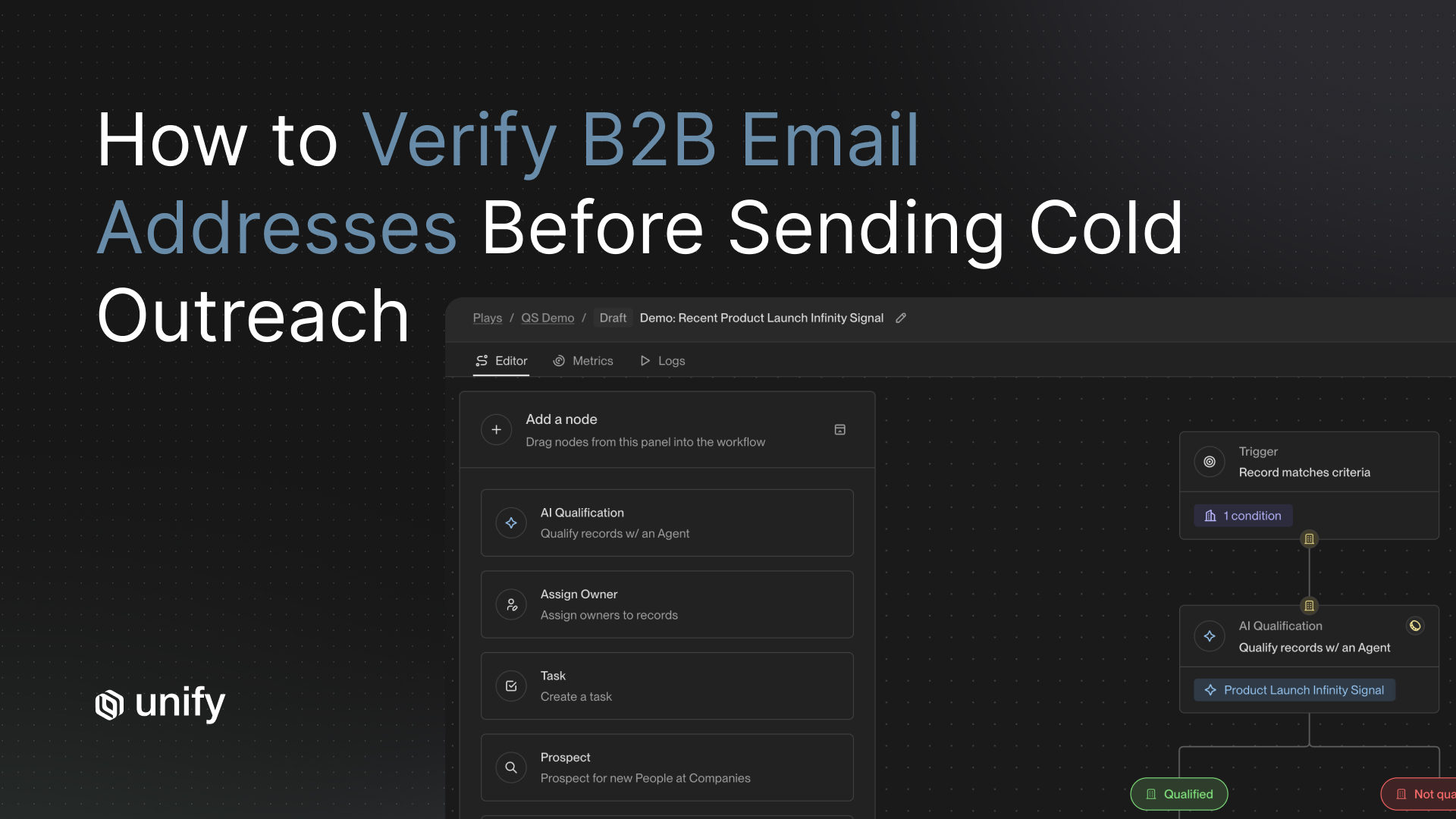
A Play is the automated workflow that fires when a signal condition is met. When a high-score visitor is identified, the Play confirms CRM ownership, pulls or creates the contact record, enriches any missing fields, and enrolls the contact in a personalized sequence without rep intervention. The sequence references the specific signal because signal and sequence share the same data context inside one platform.
This is the critical difference between a native sequencing layer and a bolt-on integration. Peter Nguyen, Senior Manager of Growth Marketing at Justworks, put it directly:
"Having signals and sequencing in the same platform has so many advantages. The signal is the reason why we're reaching out, and we want to reference that in the email we send." — Peter Nguyen, Justworks (Justworks case study)
Justworks launched three Plays within three days of onboarding and booked their first meeting within one week, per the Justworks case study. Those Plays are still running without major modifications since launch. For more on building effective automated outbound motions, see Unify's automated outbound guide.
What Outcomes Does This Architecture Produce?
Three published case studies from teams running this five-step loop show what consistent execution looks like. These are individual company outcomes, not platform averages.
HyperComply: $1.6M Pipeline and a 40% Meeting Lift
HyperComply, a 24-person security compliance company, ran fragmented outbound with high bounce rates before Unify. After deploying the website-intent-to-CRM loop with Salesforce integration, they generated more than $1.6 million in pipeline in 12 months, achieved a 40% month-over-month increase in meetings booked, and enrolled more than 5,000 target personas into sequences. Their response time from a Fortune 100 CISO receiving outreach to initial engagement was 15 to 25 minutes. Cole Singer, Growth Marketing at HyperComply:
"We're not just reaching more prospects; we're reaching the right ones, faster and more effectively than ever before." — Cole Singer, HyperComply (HyperComply case study)
Justworks: 6.8X ROI and Bounce Prevention at Scale
Justworks (1,500+ employees, $143M funded) needed to scale intent-driven outbound targeting pricing-page and demo-page visitors identified via 6sense and G2 signals. Using Unify's website intent with Salesforce integration, they achieved 6.8X ROI in the first five months and prevented more than 10% of outbound bounces through Unify's Managed Deliverability layer. The Plays built on their onboarding call are still running today, per the Justworks case study.
Quo: 100% of Outbound Powered by a Single Platform
Quo (120 employees, $56M funded, 38,000+ customers) had a fragmented tool stack that cost each rep up to 60 hours per month in manual coordination. After deploying Unify with Salesforce integration in one hour, they launched their first campaign within one day. Result: 100% of their outbound motion now runs through Unify, reply rates lifted 2.5X, 25% of replies were positive engagements, and they created more than 100 outbound opportunities. Per the Quo case study. Giancarlo Gialle, VP of Sales and Success:
"We power nearly 100% of our outbound motion with Unify. For a product-led business, it's a revolutionary way to do warm outbound and infinitely more scalable than managing a large SDR team." — Giancarlo Gialle, Quo (Quo case study)
How Do You Evaluate a Platform for This Architecture?
Six criteria determine whether a platform can run this loop without breakage. Score any vendor against these before committing to implementation.
How Unify covers these criteria: Native Salesforce and HubSpot integrations, documented at docs.unifygtm.com, handle CRM match fidelity, 15-minute bidirectional sync, and activity writeback. Plays handle native sequencing with signal context passed directly into sequence copy. Signal scoring is configurable by page type and weight without engineering involvement.
Decision Framework: Which Path Is Right for Your Team?
Use these if/then rules to choose the right architecture variant for your motion and stage.
- If you are PLG with a freemium product and want to convert website visitors into trial users: Prioritize person-level identification of visitors who view pricing but do not sign up. Trigger a Play that enrolls them in a short, high-relevance sequence referencing the pricing page. Quo's motion is the reference case — 100% of outbound powered this way, per the Quo case study.
- If you are sales-led and targeting enterprise accounts: Prioritize account-level identification and route high-score accounts to AEs with a CRM task and pre-built context note. HyperComply's Fortune 100 CISO motion with a 15-25 minute response window is the reference case, per the HyperComply case study.
- If you have an existing CRM with clean account data: Start with CRM matching and scoring. You already have the foundation. Add the JS tag, run waterfall identification, and layer Plays on top. Justworks went live in three days this way, per the Justworks case study.
- If your CRM data is messy or duplicate-heavy: Fix field ownership and deduplication rules before adding intent data. Injecting identified visitors into a dirty CRM multiplies the mess. See the CRM integration hygiene guide for the day-one checklist.
- If you are using a single intent vendor and coverage is below 50%: Switch to a waterfall or layer additional providers. The gap between 40% and 75%+ resolution directly translates to missed pipeline volume and missed Plays.
- If you want to run this without hiring an SDR team: A fully automated Play-based motion is the path. Quo runs 100% of outbound without an SDR team through Unify's automation layer, per the Quo case study.
- If you need to show ROI within 90 days: Launch one Play on pricing-page visitors first. That is the highest-signal, fastest-converting segment. Measure meetings booked per enrolled contact. Add complexity only after the first Play proves the loop.
Worked Example: Pricing Page Visitor to Booked Meeting in Under Three Hours
Here is how the five-step loop runs in practice for a mid-market SaaS company targeting VP-level buyers at 200 to 1,000 employee companies.
Signal: An anonymous visitor lands on the pricing page at 9:14 AM on a Tuesday. They spend four minutes on the page, click the enterprise plan toggle, and navigate to the comparison page before leaving without filling out a form.
Identification (Step 2): The waterfall resolves the session to a company within 30 seconds. The company is a 350-person logistics software firm. A second provider resolves the session to a specific individual: a VP of Revenue Operations already in the CRM as a cold contact on an open account with no recent activity.
CRM match (Step 3): The system finds the existing account record, confirms no active opportunity and no current sequence enrollment, and flags the account as owned by an active AE. It creates a signal event on the CRM account record: "Pricing page visit, 4 minutes, enterprise plan engaged, 9:14 AM."
Score (Step 4): Pricing page with high weight plus comparison page with high weight plus ICP match yields a high-priority score. The Play's high-priority trigger fires.
Play (Step 5): The Play confirms AE ownership, pulls the VP's enriched email, and enrolls them in a three-touch sequence. Touch 1 sends at 9:16 AM, two minutes after the visit, with a subject line referencing enterprise pricing. The AE receives a Slack notification with signal context. By 11:00 AM, the VP has replied asking for a call. Meeting booked by 11:30 AM.
Outcome: Anonymous session to booked meeting in under two and a half hours. No rep action required until the reply arrives in their inbox.
Role and Segment Variants
The five steps stay the same across teams. What changes is which step each role owns and where configuration effort concentrates.
Sales Leaders
Focus on Step 3 (CRM match) and Step 5 (Play routing). The architecture is most valuable when it routes the right visitor to the right rep immediately, respecting territory rules and account ownership already defined in CRM. Prioritize CRM writeback so signal data is visible to AEs in Salesforce or HubSpot without logging into a second tool.
Growth and Marketing Teams
Focus on Step 2 (waterfall coverage) and Step 4 (scoring). Marketing teams typically own the top-of-funnel identification layer and the scoring model. The scoring logic should align with your MQL qualification criteria so that intent-driven leads inherit the same scoring standards as inbound leads from paid or organic channels.
RevOps
Own Steps 3 and 5 architecture. Define field ownership, sync direction, deduplication rules, and Play trigger logic. RevOps is the team that prevents the five integration failure points documented in Unify's CRM integration guide: duplicates, overwritten fields, orphaned activities, formatting inconsistencies, and stale data loops.
SMB vs. Enterprise Configuration
SMB teams should automate Steps 4 and 5 fully. With smaller deal sizes and higher volume, manual rep involvement per signal is not economically viable. Fully automated Plays with light personalization handle the volume. Enterprise teams should add a human-in-the-loop step between scoring and sequence launch on tier-1 accounts. The AE reviews the context note before the first touch on high-value accounts, preserving relationship quality while still cutting the response window from days to minutes.
Edge Cases and Common Misconfigurations
Five situations where the architecture misfires if not configured correctly before launch.
- Job-seeker traffic vs. buyer intent: Candidates researching your company hit careers and about pages, not pricing. Filter these sessions out by excluding careers-page visits from the scoring model. Set a page-exclusion rule in Step 4 before any sequence touches job applicants.
- Existing customers revisiting pricing: A customer checking your pricing page may be evaluating expansion or considering cancellation. Before enrolling an identified existing customer in an outbound sequence, route them to a CS Play, not a sales Play. CRM match in Step 3 should flag existing customer accounts and send them to a different workflow.
- Employee and investor traffic: Internal team members, advisors, and investors browse your site regularly. Maintain a suppression list of known internal IP ranges and email domains. Unresolved internal sessions show up as anonymous enterprise visitors and inflate signal volume.
- Bot and crawler traffic: Automated crawlers inflate session counts and generate false signals. Your JS tag should include bot detection or filter sessions with sub-2-second dwell times and no scroll depth. Score only sessions that show genuine human engagement patterns.
- Regulated regions: Website identification in the EU requires compliant data collection consent. Confirm that your identification providers and your JS tag are compliant with applicable regulations for the geographies you target before deploying. Handle this in Step 1, not after launch.
Stop Rules: When to Pause the Loop
Common Mistakes to Avoid
Top 5 mistakes teams make when building this architecture:
- Using a single intent vendor and accepting 40% coverage as the ceiling. The 30 to 35 percentage points left on the table by not running a waterfall are real accounts that never enter your outbound loop.
- Launching Plays before CRM deduplication rules are set. Injecting identified visitors into a CRM with no deduplication creates duplicate records, splits account history, and guarantees the data your reps see is wrong.
- Treating all pages equally in scoring. A homepage visit and a pricing page visit are not equivalent signals. Weighting them the same routes noise to reps and trains them to ignore the queue.
- Waiting days to follow up on a high-signal visit. First-party intent signals decay within 24 to 48 hours. A sequence triggered on day three of a Tuesday pricing page visit is cold outreach, not warm outreach.
- Building the loop across five separate tools connected by Zapier. Each integration hop adds latency, failure points, and maintenance overhead. The architecture above only works as described when steps 2 through 5 share data context natively.
Frequently Asked Questions
How do I connect website intent data to my CRM for automated follow-up?
The five-step process is: deploy a JavaScript tag, run waterfall identification across multiple data providers, match identified visitors to CRM accounts and contacts, score by page weight and recency, and trigger a Play or sequence. Platforms like Unify collapse all five steps into a single system with native Salesforce and HubSpot sync. The full loop can be live in under a day. See the Unify Website Intent product page for technical details on waterfall configuration.
What is a waterfall identification approach for website visitors?
Waterfall identification queries multiple data providers in sequence. Each attempts to resolve the anonymous visitor session to a company or individual. The best match from any provider wins. Unify's waterfall queries Unify Intent, 6sense, Clearbit, Demandbase, and Snitcher, achieving a 75%+ match rate per the Website Intent product page. Single-vendor approaches typically resolve 30 to 65% of sessions, leaving most of your traffic unidentified and out of your outbound loop.
How long does it take to sync website intent data to Salesforce or HubSpot?
With a native integration, bidirectional sync between Unify and Salesforce or HubSpot can be configured to run every 15 minutes, per the Unify CRM integration guide. Quo completed their full Salesforce and website integration in one hour from onboarding, per the Quo case study. Justworks launched three Plays within three days and booked their first meeting within one week, per the Justworks case study.
What is a Play in the context of website intent automation?
A Play is an automated workflow that fires when a defined signal condition is met. For website intent, a Play might trigger when a contact visits the pricing page: it confirms CRM ownership, enriches the contact, and enrolls them in a personalized email sequence within seconds. The signal context passes directly into the sequence copy, so the outreach references the specific behavior. Justworks built their core Plays on their onboarding call and has not needed to rebuild them since, per the Justworks case study.
What ROI can I expect from connecting website intent to CRM and outbound?
Outcomes vary by company, ICP clarity, and Plays configuration. Published results from named Unify customers include: Justworks at 6.8X ROI in the first five months; HyperComply at $1.6M+ pipeline and 40% month-over-month meeting lift in 12 months; Quo at 100% of outbound powered by Unify with a 2.5X reply rate lift. These are individual company outcomes. Sources: Justworks case study, HyperComply case study, Quo case study.
What is the difference between company-level and person-level website intent?
Company-level intent identifies which organization visited your site using reverse-IP lookup matched to firmographic databases. Person-level intent resolves the session to a specific individual, linking it to a known contact or prospect. Single-vendor person-level match rates run 5 to 20%. A multi-vendor waterfall raises person-level coverage substantially. Company-level identification is the minimum for triggering account-based sequences. Person-level enables direct personalized outreach without a separate prospecting step.
How should I score website intent signals to prioritize outbound?
Assign weights by page type, with pricing and demo pages scoring highest. Weight by recency, since first-party signals decay within 24 to 48 hours. Weight by ICP fit of the identified company using firmographic and technographic criteria. Route high-score signals to immediate outbound; mid-score to marketing nurture; low-score to awareness programs only. For decay rate benchmarks by signal type, see Unify's signal prioritization guide.
Should I use a single intent vendor or a multi-vendor waterfall?
Use a multi-vendor waterfall. Single vendors achieve 30 to 65% company-level match rates, meaning 35 to 70% of your website traffic never enters your outbound loop. If managing multiple vendor contracts is a constraint, use a platform that handles the waterfall natively with its own provider relationships built in.
Glossary
- Website Intent Signal: A behavioral data point generated when a prospect or customer interacts with your website. Examples include pricing page visits, demo video plays, documentation page views, and sign-up form abandonment. First-party intent signals are the highest-fidelity buying signals available because they represent direct engagement with your product or pricing.
- Waterfall Identification: A multi-vendor resolution method where an anonymous website session is passed through multiple identity data providers in sequence until a match is found. Each provider attempts to resolve the visitor to a company or individual. The first successful match is used. Waterfall approaches achieve higher coverage than any single provider because different providers have different data strengths by geography, company size, and industry.
- Play: An automated, signal-triggered workflow in Unify that executes a predefined sequence of actions when a signal condition is met. For website intent, a Play might check CRM ownership, enrich a contact, and enroll them in a personalized sequence within seconds of the visit. Plays replace manual rep tasks and execute before the signal decays.
- CRM Match: The process of linking an identified website visitor to an existing account or contact record in a CRM system such as Salesforce or HubSpot. Accurate CRM matching requires deduplication logic, field-ownership rules, and handling for new vs. existing accounts, open opportunities, existing customers, and suppressed contacts.
- Signal Decay: The reduction in predictive value of a behavioral signal over time. First-party signals such as pricing page visits lose approximately 50% of their conversion value within 24 to 48 hours of the visit, per Unify's intent signal guide. Sequences triggered within minutes outperform sequences triggered days later on the same signal.
- Bidirectional Sync: A CRM integration mode where data flows in both directions: from Unify to CRM for new records, signal events, and sequence activity, and from CRM to Unify for account ownership, contact status, and opportunity stage. Bidirectional sync prevents data conflicts and keeps both systems current. Unify's native integrations support 15-minute bidirectional sync cycles, per the CRM integration guide.
- Person-Level Identification: The resolution of an anonymous website session to a specific named individual, not just their employer organization. Requires cross-referencing session metadata with identity databases. Enables direct personalized outreach without a manual prospecting step to find and validate contacts at the identified company.
- ICP Fit Score: A composite score measuring how closely an identified company matches the seller's ideal customer profile. Typically combines firmographic criteria such as company size, industry, and revenue; technographic criteria such as current software stack; and behavioral criteria such as engagement history. ICP fit is one of three dimensions in a signal scoring model alongside page weight and recency.
- Managed Deliverability: A service layer that monitors and maintains email sending health for outbound sequences. Includes suppressing invalid or risky email addresses before sends, managing sending infrastructure, and preventing domain reputation damage from high bounce rates. Justworks used Unify's Managed Deliverability to prevent more than 10% of outbound bounces, per the Justworks case study.
- Field-Level Sync Control: Configuration within a CRM integration that specifies which system owns each data field, in which direction fields sync, and which fields should never be overwritten by an external system. Field-level controls prevent intent tools from overwriting CRM progress fields, formatting standards, or rep-entered notes, one of the five most common integration failure points.
Sources
- Unify Website Intent product page (unifygtm.com)
- HyperComply case study: $1.6M pipeline, 40% meeting lift (unifygtm.com)
- Justworks case study: 6.8X ROI, more than 10% bounces prevented (unifygtm.com)
- Quo case study: 100% outbound, 2.5X reply rate, 60 hours per rep saved (unifygtm.com)
- Perplexity case study: $1.7M pipeline, 26+ enterprise meetings (unifygtm.com)
- 5 Best Website Intent Data Tools for B2B (2026 Guide), Unify (unifygtm.com)
- CRM Integration Done Right: Keep Outbound Data Clean from Day One, Unify (unifygtm.com)
- First-Party vs. Third-Party Intent Signals: The Complete B2B Guide, Unify (unifygtm.com)
- What Is Signal-Based Selling? Unify (unifygtm.com)
- Automated Outbound: Your Next Big Growth Channel, Unify (unifygtm.com)
- Unify Documentation: HubSpot and Salesforce integration reference (docs.unifygtm.com)
- How to Integrate Website Visitor ID with Your CRM: Complete Guide, Factors.ai
- How to Integrate Website Visitor Identification Software with CRM, The Enterprise World
- Make Visitor Data Actionable with CRM Integration, Dealfront
Austin HughesAustin Hughes is Co-Founder and CEO of Unify, the system-of-action for revenue that helps high-growth teams turn buying signals into pipeline. Before founding Unify, Austin led the growth team at Ramp, scaling it from 1 to 25+ people and building a product-led, experiment-driven GTM motion. Prior to Ramp, he worked at SoftBank Investment Advisers and Centerview Partners.


.avif)